


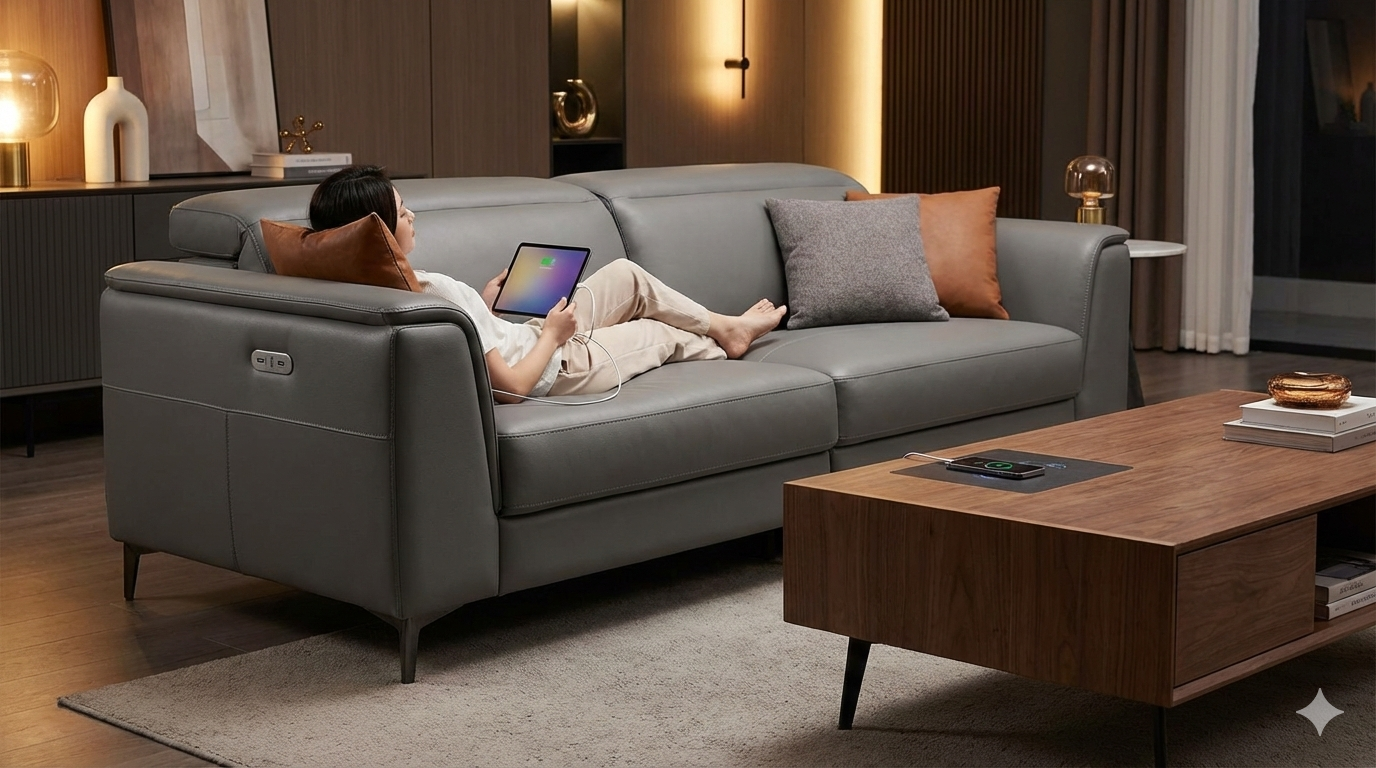
Smart furniture with USB is transforming the way we work, relax, and recharge in our homes and offices by blending modern design with practical technology. If you’re frustrated by hunting for missing chargers, tired of messy extension cords, or looking to stay productive in a connected world, smart furniture with USB ports and wireless charging makes life easier without sacrificing style.
Key Takeaways
- Smart furniture with USB and wireless charging is rapidly gaining popularity—over 18.8 billion IoT-connected devices predicted by the end of 2024.
- Ergonomic desks and multifunctional tables lead the market, but real-world challenges include charging speeds, reliability, and durability.
- Cost premiums are justified by convenience, IoT integration, and the growing demand for tech-enabled lifestyles, though price transparency remains limited.
- What Is Smart Furniture with USB and Why Is It So Popular?
- How to Choose and Use Smart Furniture with USB: Step-by-Step Guide
- Advanced Analysis & Common Pitfalls: What to Expect
- Conclusion: Is Smart Furniture with USB Worth It?
- FAQ: Smart Furniture with USB Explained
What Is Smart Furniture with USB and Why Is It So Popular?
Smart furniture with USB refers to tables, desks, sofas, beds, and other household staples that come pre-installed with USB charging ports, wireless charging pads, or smart home integrations. These pieces blend traditional furniture with modern electronics and often throw in features like height-adjustable desks, app-controlled lights, and integrated IoT connectivity. The rise of remote work, device-heavy lifestyles, and urban living is fueling demand for furniture that does more with less space while supporting our tech needs.

The global smart furniture market shows staggering potential: various reports estimate market value between USD 837.91 million and USD 3.25 billion in 2024, with strong growth projected through 2032. North America leads adoption, driven by the proliferation of smart homes—expected to rise to 58.4 million in the US alone by 2025 (source).
Desks and tables are leading the way due to the demand for ergonomic desks and device-charging capabilities in both home and commercial settings. Sofas, ottomans, and even beds are increasingly coming with built-in power for laptops, tablets, and phones. The market for smart, modular, and multifunctional living room furniture is growing fast, reflecting a broader shift toward adaptable spaces. If you want more on modular furniture, check out our guide on ways to maximize space with a modular sectional sofa.
How to Choose and Use Smart Furniture with USB: Step-by-Step Guide
Selecting the right smart furniture with USB features requires balancing technology, quality, and your design preferences. Here’s how to do it:
- Define Your Needs: Do you need multiple USB ports, wireless pads, or both? Will this be used in a home office, living room, or bedroom? For those interested in hybrid pieces, our guide to multifunctional storage ottomans covers creative storage and tech combos.
- Check Compatibility: Not all USB ports or wireless chargers are created equal. Verify they’re compatible with your devices—look for multiple port types (USB-A, USB-C, fast-charging support) and check if they’re Qi-certified for wireless charging.
- Assess Power Output: Charging speeds vary widely. Standard USB ports often deliver 5V/1A (slow), while USB fast-charging or Power Delivery (PD) ports can handle 5V/3A or higher. Wireless charging pads differ from 5W up to 15W—make sure the specs match your devices’ requirements.
- Evaluate Design & Functionality: Consider size, materials, and how the smart features integrate aesthetically. Contemporary designs, like those seen in bouclé sofas or Japandi dining tables, can seamlessly blend style with utility.
- Read the Fine Print: Look for details on durability—are the electronics replaceable? What are the warranty terms? Are there safety certifications such as UL, CE, or FCC for electrical safety?
- Plan Your Space: Factor in cord management. Even with built-in charging, most smart furniture still plugs into the wall, so check if there’s convenient outlet access.
- Test Before Committing: If possible, try charging your devices in-store or scout detailed video reviews. Some ports can feel loose or underpowered; a hands-on check is best.
Cost is a big factor. While direct price comparisons are scarce, expect tech-integrated furniture to cost 15-30% more than standard pieces, justified by the added electronics, ergonomic features, and IoT integration. Want to make your entertainment space smarter, too? Explore our tips for the perfect bed frame with headboard supporting streaming setups.
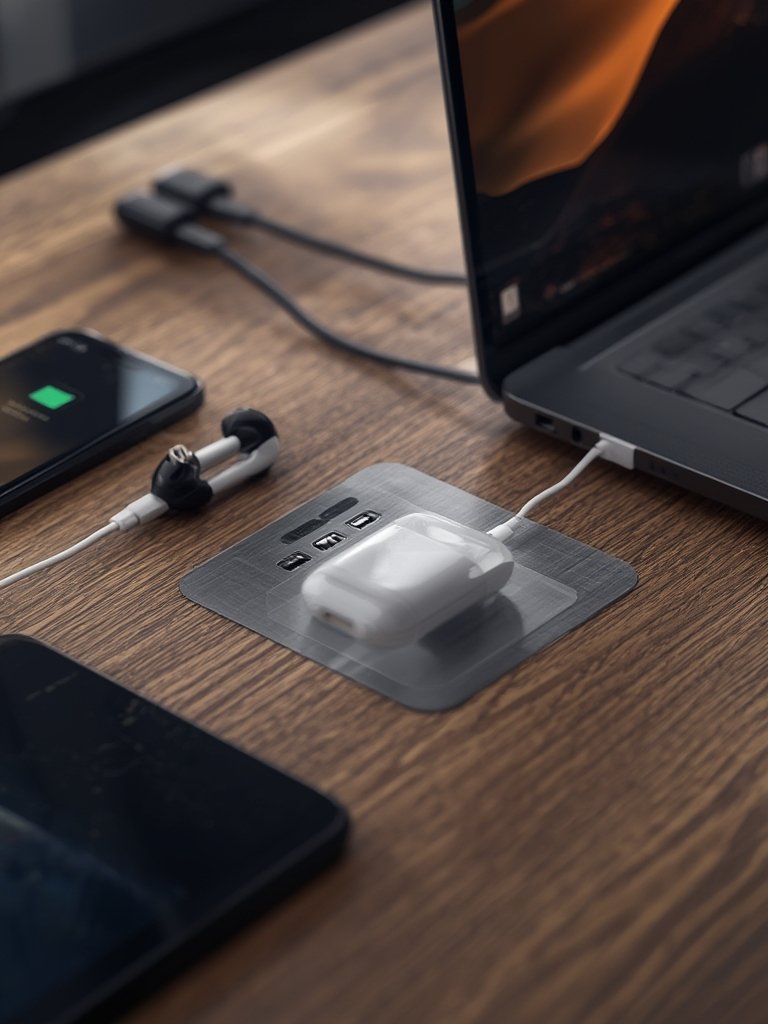
Installation is simple—most smart desks and nightstands arrive ready to use, requiring only a standard plug. For more specialized or modular layouts, see our smart tips on creating minimal, floor-level bed frames that maximize low-profile charging access.
Advanced Analysis & Common Pitfalls: What to Expect
Even as demand for smart furniture with USB surges, real-world frustrations can surface. Here’s what top buyers and experts encounter—and how you can avoid it:
- Charging Inconsistency: Not every USB port delivers the same speed—some are limited to 1A or 2A (slow), and wireless pads may underperform or overheat with cases attached.
- Loose Ports and Premature Wear: Daily plugging and unplugging can loosen built-in ports or loosen internal wiring, especially on budget models.
- Lack of Upgrade Paths: Integrated charging hardware is often hardwired, so if standards change (e.g., USB-C, fast wireless charging), upgrades aren’t easy.
- Limited Documentation: Many brands omit detailed specs like charging speed, wattage, or safety certifications from product listings.
- Warranty & Durability Gaps: Warranty periods can be short, with electrical components not always covered for the lifetime of the furniture.
- Safety & Compliance Issues: Some imported or budget models lack clear UL, CE, or FCC certifications, increasing safety risks.
Innovative features are surging for 2024—expect explosion in Alexa/Google Home furniture, integration with Alexa/Google Home, app-controlled sensors, and sustainable materials. However, multifunctional pieces (like ottomans with storage and charging) or ergonomic smart desks can demand a high premium. If you value flexibility, consider customizable sectional couches that adapt as your space evolves—some now include charging arms or storage as upgrades.
| Feature | Smart Furniture with USB | Standard Furniture |
|---|---|---|
| USB Output (Typical) | 1A–3A (some support fast-charge, few specify specs) | N/A |
| Wireless Charging | Optional, 5W–15W, often Qi-certified (sometimes not disclosed) | N/A |
| IoT Integration | Available on advanced models (e.g., app, sensors, voice control) | No |
| Warranty | Varies, often 1 year for electronics, sometimes furniture only | 1–3 years on structure, rarely electronics |
| Safety Certifications | Inconsistent—look for UL/CE marks | Usually not needed |
| Price Difference | Estimated +15–30% premium | Baseline |
If you want to dig into trends in wood and other natural materials dominating smart furniture construction, don’t miss our advice on buying a Japandi dining table that embodies both durability and modern tech integration.

Conclusion: Is Smart Furniture with USB Worth It?
Smart furniture with USB is rewriting the rules for modern living and workspaces—simplifying device charging, reducing clutter, and supporting connected lifestyles. The market is booming with options, especially for ergonomic desks and multifunctional storage. However, pay careful attention to charging speeds, warranty coverage, and compatibility before you buy. When in doubt, ask for specs, check for certifications, and compare costs versus core needs. If you value convenience and want to future-proof your home, it’s time to consider investing in smart furniture with USB. Ready to upgrade? Explore more guides on tech-enabled furniture for every room.
FAQ: Smart Furniture with USB Explained
What devices can I charge with smart furniture USB ports?
Most USB ports on smart furniture charge smartphones, tablets, headphones, and some laptops that support USB charging. Always check port type and output before charging larger devices like laptops or power banks.
How fast do USB ports on smart furniture charge?
Charging speed varies. Basic ports may provide 5V/1A (slow), while some fast-charge ports give 2A or 3A. Wireless pads typically range from 5W to 15W. Brand listings often skip these details, so ask directly if this matters.
Are there any safety issues with furniture-integrated charging?
Potentially. Some products lack clear UL, CE, or FCC certifications. Always verify safety marks and avoid overloading the ports. If overheating occurs, unplug and contact the manufacturer.
What’s the price difference between smart furniture with USB and regular furniture?
Tech-integrated furniture with USB or wireless charging typically costs 15-30% more due to electronics and added features. The premium reflects added convenience, but always compare warranty, quality, and feature set before buying.
Can built-in chargers be repaired or replaced?
It depends on the brand. Some allow easy access and replacement, but most are hardwired, making repair difficult. Ask about replacement parts and service before you buy.